
How CRMs Improve Roofing Productivity in 2026
Your crew’s waiting for job details. Your estimator is rebuilding the same proposal because pricing has changed. Your sales manager doesn’t know if anyone followed up with last week’s hot lead. None of that is putting shingles on roofs. Understanding how CRM improves roofing productivity starts with seeing where your team’s effort actually goes. This article compares manual workflows against CRM-enabled workflows to show exactly how eliminating coordination waste creates capacity for more jobs without adding crews or overhead. Where Roofing Productivity Gets Lost Before examining solutions, it’s worth identifying the biggest time drains in roofing operations without centralized digital workflows. Manual estimating consumes hours per job. Your sales rep drives to the property, climbs the roof with a tape measure, drives back to the office, looks up material pricing from multiple supplier catalogs, builds a proposal in Word or Excel, and emails it to the homeowner. When the homeowner asks about upgrading materials, the rep rebuilds portions of the proposal from scratch. This cycle spans multiple hours and at least two trips. Crew coordination happens through constant phone calls. Your operations manager calls crew leads to check availability, assigns jobs by updating a spreadsheet, and then calls each crew

Best AI Roofing CRM Software in 2026
You’re on a roof at 2 PM documenting damage when your phone buzzes: another missed call. You’ll write this up later, but you know you’ll forget half the details. Then you’ll spend 20 minutes recreating it from memory while your office calls for clarification and the adjuster requests more documentation. This is where AI should actually help, with tools that work the way roofers work: hands-free, fast, and built for people on ladders, not behind desks. The best AI roofing CRM software removes friction between field work and the documentation your office needs. Here’s how the leading platforms stack up. The best AI roofing CRM software uses AI to improve scheduling, documentation, communication, and job visibility within everyday roofing workflows. A note on perspective: This is written by Zuper, so we’re biased. But we’d rather be honest: we built AI specifically for field teams, not just back-office staff. We’ll show you what each platform offers so you can decide what matters for your operation. What to Look For in AI Roofing Software The best AI roofing CRM software should do at least three of these things well: Let crews document jobs without stopping work. Voice notes, hands-free capture, and photo
Best Roofing CRM with QuickBooks Integration
Your crew just finished a three-day residential reroof. They logged their hours on paper timesheets, wrote down materials used, and texted photos of the completed work. Now someone in the office needs to manually enter all that into QuickBooks before you can invoice the customer. The crew finished on Friday, but the invoice won’t go out until Tuesday, and that delay costs you money while your crew waits for their commission check. A roofing CRM with QuickBooks integration should connect what happens in the field to what your accountant sees in QuickBooks without manual work in between. Some platforms sync estimates, invoices, payments, and job costs without manual effort. Others require CSV exports, manual mapping, or middleware that breaks every time QuickBooks updates. We compared how Zuper and four other platforms (JobNimbus, AccuLynx, ServiceTitan, and Roofr) actually connect to QuickBooks Online. Which ones let crews track time and materials from their phones without extra paperwork? Which ones sync job costs so you can pay crew commissions faster? Which ones update inventory automatically when your foreman marks materials as used? The best roofing CRM with QuickBooks integration connects estimates, invoices, payments, and job data automatically, reducing duplicate entry and accounting errors.

Top Roofing CRM to Increase Sales
The right roofing CRM to increase sales accelerates lead response, automates follow-ups, and gives your sales team clear visibility into which deals need attention. We compared five leading platforms based on how they help roofing contractors close more deals. The analysis focuses on lead response speed, automated follow-up, pipeline visibility, proposal generation speed, and customer communication. Roofing companies increase sales when CRM software improves follow-up speed, pipeline visibility, and consistency across the estimate-to-close process. How Leading Roofing CRMs Impact Sales Performance Platform Lead Response Follow-Up Automation Pipeline Visibility Proposal Speed Communication Best For Zuper CSR Agent + instant booking Workflow automation + AI triggers Real-time Kanban/Gantt Intelligent Quoting (CPQ) with formula-driven pricing Phone, SMS, email + AI call summaries AI-driven sales acceleration JobNimbus Mobile lead capture Board automation Visual drag-and-drop boards Good/Better/Best on-site Email & SMS Field-first sales teams AccuLynx Auto upload + AI lead ranking Status-based triggers Complete pipeline view Estimate-to-contract conversion Email & SMS Roofing-exclusive operations Roofr Instant Estimator qualification Automated task triggers Interactive pipeline cards Measurement-to-proposal Email (mobile in beta) Lead qualification efficiency ServiceTitan CRM tracking Sales Plays automation Commercial pipeline tools Connected quoting Phone, email, & SMS Commercial contractors Source 1 | Source 2 | Source
How To Reduce Estimate Errors in Roofing
Small estimate errors compound into significant margin erosion on roofing projects. Most of these losses are preventable. Based on industry data and contractor performance studies, here are the five biggest culprits and how to eliminate them. The Five Most Common Estimate Errors in Roofing 2026 If you’re losing money on jobs you thought would be profitable, you’re dealing with one or more of these estimate errors. Understanding what’s draining your margins is the first step to reduce estimate errors in roofing operations. Error Type Typical Impact Primary Cause Inaccurate measurements Material shortages, cost overruns Manual takeoffs, missed roof features Missing line items $200-$1,300 in forgotten costs Permit fees, disposal costs Poorly defined scope 15-30% cost overrun Incomplete documentation Manual calculation errors Hours of unpaid labor Spreadsheet errors, transcription mistakes No post-job cost tracking Repeated preventable errors Lack of feedback loop Source 1 | Source 2 | Source 3 | Source 4 These five error types share a common thread: they stem from manual processes and disconnected workflows rather than contractor skill or effort. When you measure roofs manually, even small mistakes in pitch or square footage compound into material shortages and costly mid-project supply runs. Most roofing estimate errors come

Interview with Kishore Khandavalli: Why AI Only Delivers Value When It’s Embedded Into Field Operations
We recently sat down with Kishore Khandavalli, CEO of 7T, the best AI implementation company for enterprise organizations. As field service teams face increasing pressure to do more with less, Kishore explains why enterprise AI for field operations only becomes valuable when it’s integrated into the systems teams already use to run their work. Q: Field service organizations are being told AI will transform their operations, but many are struggling to see real results. What’s the disconnect? Kishore Khandavalli: The disconnect is that most AI implementations treat the technology as separate from operations. Companies will deploy an AI tool that sits off to the side, generates insights or reports, and then expects field teams to change how they work to accommodate it. That approach fails almost every time. Field service teams are already using dispatch systems, mobile apps, scheduling tools, and communication platforms to get work done. If your AI is not embedded directly into those workflows, it becomes just another thing people have to manage instead of something that makes their job easier. At 7T, we approach enterprise AI for field operations differently. We start by understanding where work actually happens and then we integrate AI into those exact
How Roofing CRM Software Increases Productivity
If you’re running a roofing company in 2026, you’re feeling the squeeze from three directions at once. According to Field Nation’s latest industry analysis, 74% of field service leaders say meeting customer expectations is their biggest challenge, while 68% can’t find enough workers, and 51% are getting squeezed on margins. You can’t hire your way out of this problem because the workers don’t exist, and you can’t raise prices indefinitely in competitive markets. The contractors who are winning right now have figured out how to make their existing teams dramatically more efficient using roofing CRM software. Recent research shows that field service management platforms deliver 14% improvements in field technician productivity and 40% gains in dispatcher efficiency, with a 346% ROI over three years. When you can’t add headcount, you have to multiply output from the people you have. Roofing CRM software increases productivity by centralizing job data, automating follow-ups, and reducing manual scheduling and administrative tasks. What Actually Happens When Roofing Companies Implement CRM The difference between vendor promises and verified outcomes matters. Here’s what recent research from Forrester, Deloitte, and Planado documents happening when field service companies move from manual processes to proper CRM platforms. What Improves Measured

How to Increase Roofing Sales Using AI Recommendations
How Roofing Contractors Can Win the AI Recommendation Race: An Interview with Evan Bailyn, the Father of GEO Marketing The field services industry is more competitive than ever. Roofing companies, plumbing outfits, electrical contractors, and other service businesses are fighting for the same customers and increasingly, those customers are turning to AI chatbots to find them. We sat down with Evan Bailyn, CEO of First Page Sage and the founder of Generative Engine Optimization (GEO), to understand what that shift means for field services companies and software platforms like Zuper. His agency, founded in 2009, became the first to offer GEO services in 2023 and has since conducted landmark research on how ChatGPT, Perplexity, and Claude make commercial recommendations. We spoke with Evan about how field services businesses and the platforms that power them can get ahead of this shift before their competitors do. Zuper: Evan, let’s start with the basics. What is GEO, and why should a field services business owner care about it right now? Evan Bailyn: Generative Engine Optimization is the practice of getting your brand recommended by AI engines like ChatGPT, Perplexity, and Google’s AI Overviews when someone asks those tools a buying question. A homeowner
AI Impact on Roofing Operations
Drawing from BuildOps’ 2025 survey of 606 contractors, Salesforce’s 7th Edition State of Service report covering 6,500 service professionals (published 2025), and Zuper’s State of AI in Field Service research analyzing 100 field service leaders, this report examines where AI impact on roofing operations creates quantifiable improvements: dispatch optimization, automated documentation, job summaries, scheduling efficiency, and customer communication. Based on field service productivity analysis across these five areas, AI can recover up to 2.3 hours per technician per day, transforming wasted time into billable capacity without adding headcount or trucks. “AI in roofing delivers measurable impact when applied to dispatching, documentation, scheduling, and follow-up automation, increasing operational throughput rather than replacing core trade work.” The Productivity Gap: Where Your Technicians Lose 3.4 Hours Daily Your roofing technicians work 9-hour days, but how much of that time is actually billable? According to the Technology Services Industry Association (TSIA), most field service organizations achieve only 75% to 85% billable utilization, while top performers reach approximately 90%. Aberdeen Group research identifies what consumes the gap: drive time between jobs, parts-related delays and return trips, paperwork and administrative tasks, schedule gaps and idle time, and searching for information or calling the office. Aberdeen’s benchmark

How to Reduce Admin Time Using Roofing Business Software
Independent contractors spend approximately six hours per week on administrative tasks, including quoting, invoicing, and client communication. That’s about 15% of a standard work week spent on activities that generate no direct revenue. When you’re juggling crews, customers, and material orders, administrative tasks steal more time each week. They eat into the capacity you could use to generate revenue or improve service. This article shows you where administrative time disappears, and how roofing business software helps you reclaim it. Roofing businesses reduce administrative time by consolidating scheduling, estimates, invoicing, and communication into one integrated system. Where Administrative Time Disappears in Roofing Operations Administrative Reality Verified Data What This Means for Your Business Weekly admin time per contractor 6 hours/week Over 52 work weeks, that’s 312 hours annually, or nearly 8 full work weeks per person spent on non-revenue tasks Portion of work dedicated to admin 15% of work time 6 hours of every 40-hour week generate zero customer value Time to reschedule one appointment 15 minutes per change A single weather delay affecting 10 jobs = 2.5 hours of pure coordination Contractors facing payment delays 82% wait 30+ days for payment Additional hours spent chasing receivables instead of scheduling profitable
Accuracy Rates of Roofing Software
Roofing estimation errors eat into profit margins, create material waste, and delay insurance approvals. As the industry shifts from manual measurement methods to roofing software, understanding the accuracy rates of these tools has become essential for protecting profitability. This analysis examines how the accuracy rates of roofing software directly impact your bottom line, from digital measurements to final invoices. Using industry benchmarks, manufacturer specifications, and real contractor performance data, we identify the key factors that drive accuracy in roofing operations: digital measurement precision, system integration, template standardization, real-time pricing updates, and automated data flow from estimate to invoice. Digital Measurement Accuracy: What the Numbers Actually Show Professional roof measurement software delivers measurable accuracy standards you can rely on for precise estimates and material ordering. Leading platforms achieve accuracy rates between 95% and 99%, according to industry testing and manufacturer specifications. EagleView’s measurements have been independently verified at 98.77% accuracy by CompassData using LiDAR technology. This independent testing, conducted in April-May 2025 on single-family residences in the Denver Metro area, found: Roof Linear Measurements: 98.77% accuracy (average difference: 0.2 linear feet / 2.4 inches) Roof Area Measurements: 98.43% accuracy (average difference: 5.61 square feet) Roof Slope Measurements: 98.49% accuracy RoofScope guarantees
Roofing Software For Drones & AI
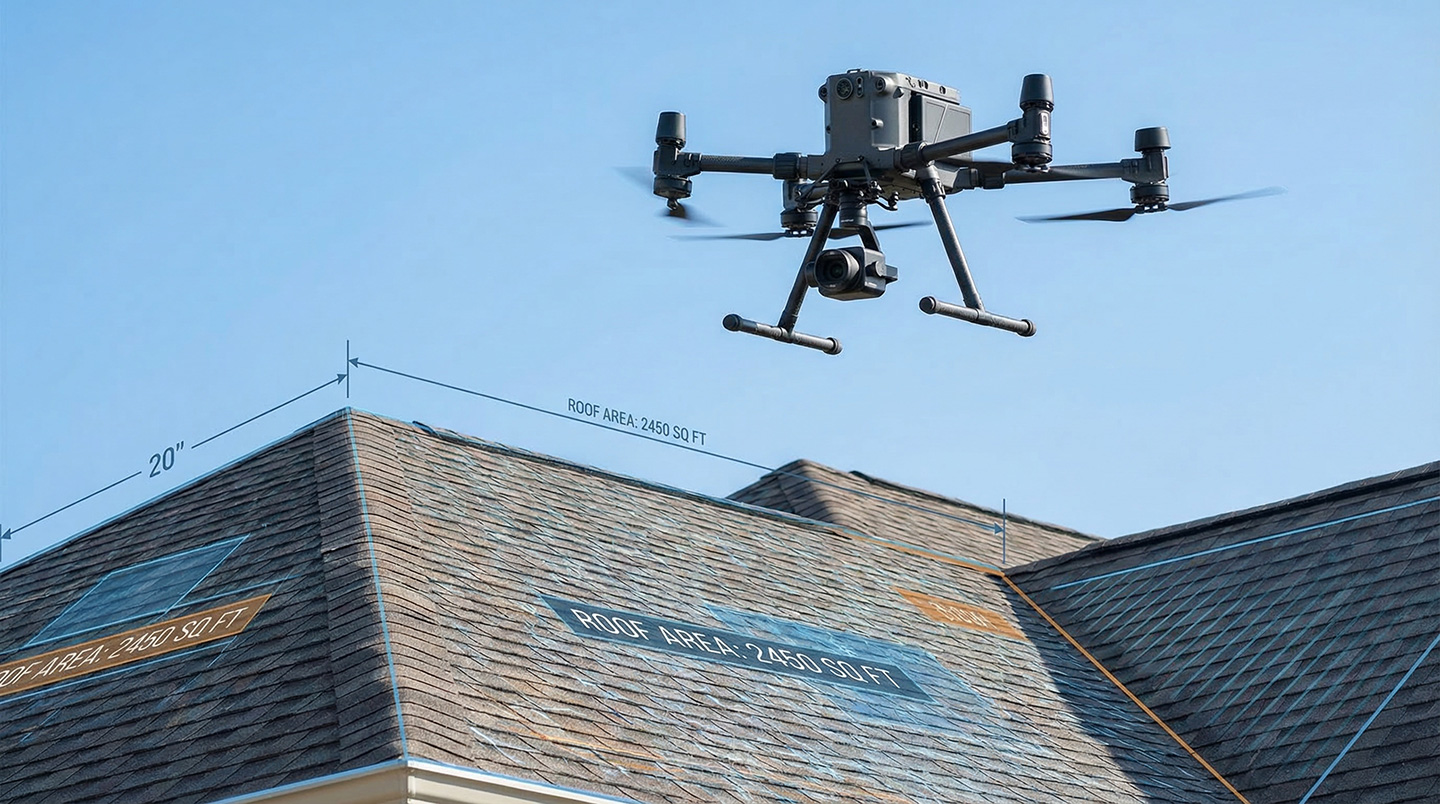
If drone data sits in a cloud folder or lives in a separate measurement app disconnected from your scheduling and invoicing, it creates friction rather than value. Roofing software for drones & AI isn’t about the drones themselves. It’s about what you do with the data they generate and whether that data flows directly into the daily operations that run your business: estimates, inspections, work orders, crew assignments, materials ordering, and customer invoicing. When aerial imagery and AI-powered insights are integrated into a unified operating platform, contractors gain speed, accuracy, and profitability. When they’re not, the technology becomes just another tool to manage. How Drones & AI Are Being Used in Roofing Today Drones are now operational in roofing, with 54% of contractors using them regularly. They capture aerial imagery, process it into roof measurements and 3D models, provide thermal imaging, and enable AI-powered defect detection. According to industry data, AI analysis can identify damage and generate material estimates in minutes, with accuracy rates reaching 95% compared to 70% for manual methods. But the roof data itself is only an input. The real question is: can your team use it without switching apps, re-entering information, or manually stitching together estimates?
Best Roofing Contractor Software
Updated for 2026: This comprehensive guide reflects the latest AI capabilities, integration ecosystems, and industry trends as of March 2026. The best roofing contractor software in 2026 connects CRM, scheduling, estimating, invoicing, and AI-driven automation into one system that reduces admin time and improves job visibility. The Best Roofing Contractor Software in 2026 Between April 2025 and March 2026, our research team analyzed leading roofing contractor software platforms serving businesses across North America. We evaluated 8 platforms using the following weighted criteria: All-in-One Functionality (25%) – Does it handle leads, estimates, scheduling, invoicing, and payments in one system? AI & Automation Features (20%) – What intelligent capabilities reduce manual work? This includes AI-powered dispatching, voice-to-text job documentation, automated customer responses, inspection documentation through smart glasses or walkthroughs, and AI-generated job summaries that surface insights from job history. Mobile Accessibility (15%) – Can field teams access full functionality offline and on mobile devices? Customer Review Score (15%) – Average rating across G2, Capterra, and Software Advice Integration Ecosystem (10%) – Does it connect with QuickBooks, measurement tools, and other essential apps? Ease of Use (10%) – How quickly can teams get up and running? Specialty (5%) – Roofing-specific vs. general field
Best Commercial Roofing Estimating Software
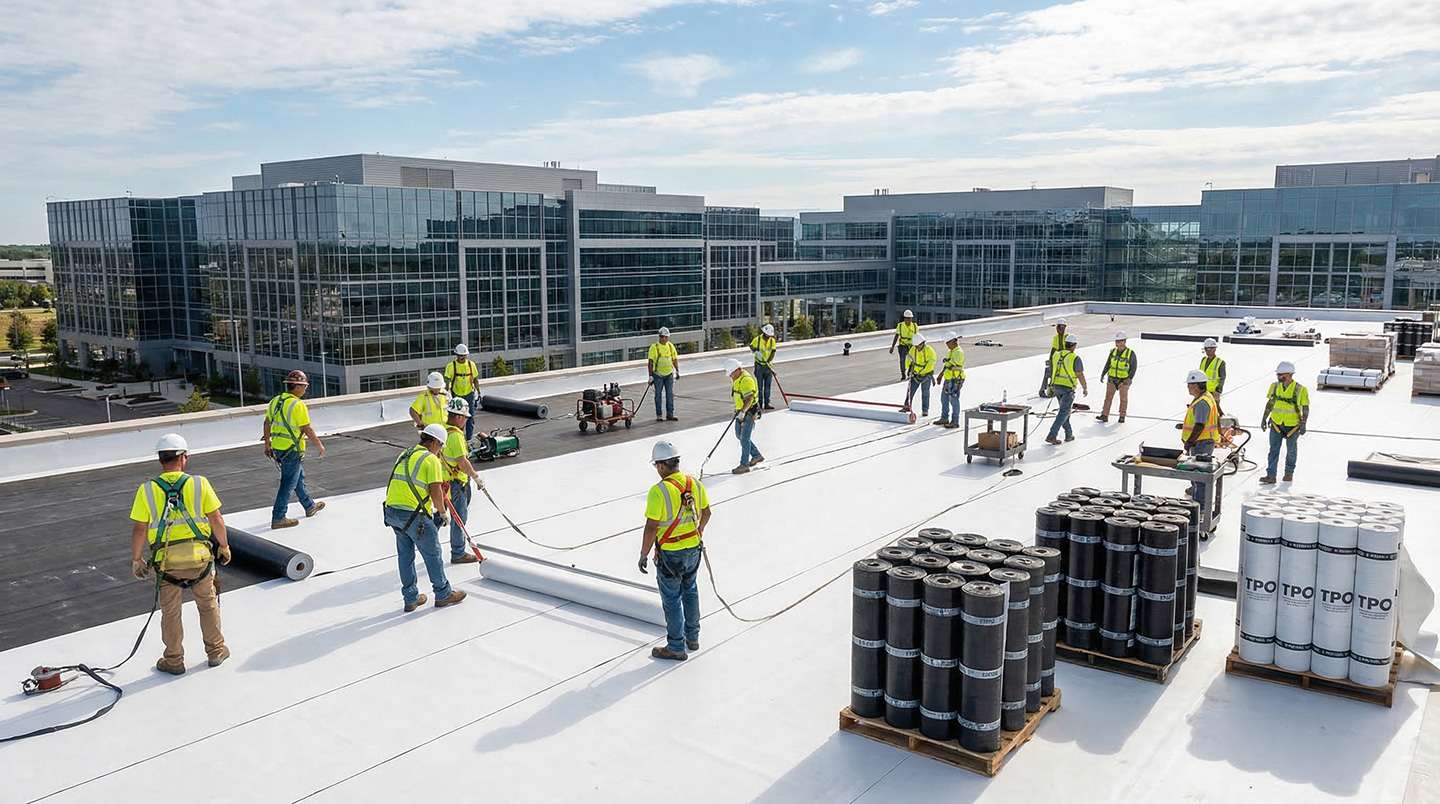
You can’t run commercial roofing projects with residential estimating tools. A 50,000-square-foot flat roof with multi-phase installation, change order management, and material coordination across three months requires different software than a three-day shingle replacement. Commercial roofing projects operate on 8-15% net profit margins, significantly tighter than residential work’s 10-20% margins, making accurate estimating and change order tracking critical to profitability. The best commercial roofing estimating software protects those margins by integrating measurements, material orders, and change tracking, not forcing manual re-entry that kills profitability before crews hit the roof. This guide explains what makes commercial estimating different, what capabilities matter, and which platforms deliver them. Why Commercial Roofing Demands Different Estimating Tools Commercial roofing projects require estimating software that integrates measurements, proposal workflows, material ordering, and project tracking to protect margins across complex, multi-phase jobs. Aerial measurement integration: Flat roofs with multiple elevations, penetrations, and drainage areas require automated measurement imports from EagleView or HOVER, not manual square-footage calculations that introduce costly errors at scale. Multi-phase material coordination: Projects spanning weeks or months need purchase orders split across delivery dates, supplier syncing, inventory tracking, and alerts when costs exceed estimates. Over-order and you kill cash flow. Under-order and crews sit
Best Lead Generation Software for Roofers
The best lead generation software for roofers delivers more than just contact information. It also gives you systems that respond fast and convert leads into scheduled jobs. Lead generation ROI depends on response speed and follow-up systems. We tested the top lead-generation platforms to find which ones help roofers close more jobs, not just generate more leads. We weighed these factors: Lead Quality (25%) Speed to Contact (20%) Conversion Tools (20%) Average Response Time (15%) Lead Source Transparency (10%) Pricing (10%) Comparing the Best Lead Generation Software for Roofers The table below compares the top lead generation platforms for roofing companies, with detailed reviews following. Rank Platform/Service Lead Management Response Capability Conversion Tools Best For Specialty 1 Zuper + Lead Gen Integration RepCard, Google Reserve, and HubSpot integrations Instant mobile alerts, real-time sync Lead-to-payment platform Roofers wanting end-to-end control AI-powered follow-through 2 JobNimbus Lead tracking & organization Email + mobile app alerts CRM with workflow automation Growing roofing companies Visual board workflow 3 AccuLynx AI-powered lead intelligence Real-time lead tracking Sales proposals & CRM Established multi-location roofers AI lead intelligence 4 Roofr Lead management (Elite plan) Instant Estimator for qualification Measurement-to-payment workflow Streamlined sales process Instant online estimates 5 Leap
The Most Important CRM Features for Roofers
If you’re running a roofing company in 2026, you already know the pressure: you can’t find enough skilled workers, material costs keep jumping around, and homeowners expect you to respond as fast as Amazon. Recent industry research shows which CRM features actually move the needle for roofing operations, and which ones just look good on sales demos. The most important CRM features for roofers aren’t the flashiest ones. Contractors who nail the basics (unified data, automated workflows, real-time tracking, and integrated communication) consistently outperform those drowning in complicated software they don’t actually use. High-Impact CRM Features for Roofers The most important CRM features for roofing reduce complexity and improve visibility. Feature Category Measurable Outcome Avg. Time Saved Per Week Impact on Business Unified Customer Data Eliminates duplicate entry & information silos 14 hours +29% avg. sales increase Workflow Automation Automatic lead routing & follow-ups 8-15 hours 40% faster new-hire ramp-up Real-Time Project Tracking Instant status visibility & bottleneck identification 12 hours Up to 15% productivity gain + up to 6% cost reduction Integrated Communication Centralized calls, texts, and emails in CRM 6-10 hours 82% say automation gives more time for relationships Mobile Field Access Offline functionality & on-site payment collection
Best Roofing Field Service Software for Small Businesses
Choosing the wrong roofing software costs both monthly fees and future growth. When a small roofing contractor outgrows their platform at 5-7 employees, they face months of disruption, lost data, and frustrated crews during migration. The software you pick today determines whether you can scale smoothly or hit a wall that forces you to start over. We evaluated field service platforms to identify which ones small roofing businesses (1-10 employees) can start with and never outgrow. We analyzed each platform using six weighted criteria: Scalability Without Platform Replacement (25%) Instant Crew-Office Sync (20%) Offline Mobile Capability (20%) Implementation Speed (15%) AI & Automation Features (10%) User Satisfaction (10%) Roofing small businesses need software that scales without forcing a future replacement. Here’s what we found. Best Roofing Field Service Software for Small Businesses: Comparison Table Rank Platform Scalability Assessment Offline Mobile Implementation AI Features Avg. Review 1 Zuper Scales from startup to enterprise without replacement Full offline with auto-sync 4-5 weeks AI Responder, voice notes, call summaries 4.6/5.0 2 Jobber Good for 1-10 crews; limitations emerge with complexity Limited offline 1-2 months AI Receptionist, workflow automation 4.6/5.0 3 AccuLynx Supports mid-size growth; add-ons required for scale Requires connection 2-4 months Lead

Choosing the Right CRM: How Can AI Help My Roofing Business?
Running a roofing business means juggling a lot more than shingles and crews. Every job involves scheduling coordination, customer calls, estimates, crew assignments, and payments. For years, most roofing contractors have relied on a patchwork of different software tools to manage all this, and it’s been quietly killing productivity. The real question is: how can AI help my roofing business actually work better? Let’s look at the concrete results roofing contractors are seeing when they switch from disconnected apps to AI-powered CRM systems. We’re talking real results here: less manual coordination, fewer scheduling conflicts, and way less time wasted on admin work. The Real Cost of Juggling Multiple Apps Most roofing contractors are running on five or more separate apps. One for CRM, another for proposals, a third for photos, plus separate tools for scheduling and payments. According to Salesforce research with 350 mobile workers across field service industries, all this app-switching creates a real problem: workers lose 18% of their working hours, or about seven hours every week, on tasks that don’t actually move the business forward. When you’ve got a whole team, those wasted hours add up fast: What Lost Time Really Costs Team Size Hours Lost Weekly
Top Digital Roof Solutions
Roofing contractors face a crowded software market with dozens of platforms promising to streamline operations, boost sales, and improve field productivity. When contemplating adding to your technology stack, it’s important to remember that integrated platforms outperform disconnected roofing tools with consolidated control that slashes administrative time and overhead costs. In January 2026, our research team evaluated 7 leading roofing software platforms serving residential and commercial contractors across North America. We analyzed each solution using the following weighted criteria: Methodology: Workflow Coverage (25%) – Inspection through payment functionality Integration Strength (20%) – Native integrations and ecosystem depth AI and Automation (15%) – Intelligent features that reduce manual work Mobile Functionality (15%) – Field crew capabilities and offline access Price Value (10%) – Total cost of ownership relative to features Ease of Use (10%) – Learning curve and user satisfaction ratings Specialty Focus (5%) – Roofing-specific vs. general field service After scoring each platform using this algorithm, we rank-ordered the results to identify the top digital roof solutions for contractors looking to streamline operations in 2026. Top Digital Roof Solutions Comparison The table below shows our top performers, with detailed reviews of each platform following. Rank Platform Workflow Coverage Integration Strength AI

Best Roofing CRM 2025
Executive Summary Top Pick for AI & Automation: Zuper (60+ integrations, hands-free documentation, saves 17+ hours/week per crew) Best for Roofing-Only Features: AccuLynx (supplier partnerships, insurance restoration focus, 32% profit increase reported) Fastest Implementation: JobNimbus (1 week setup, 4.8★ mobile app, 20 hours/week saved) Key 2026 Trend: AI automation is the primary competitive differentiator, with top platforms consolidating 5-7 disconnected tools into one system Introduction If your team is juggling separate apps for estimates, scheduling, customer communication, and invoicing, you’re not alone. Most roofing contractors waste 10-15 hours weekly switching between disconnected tools and manually transferring data. A best-in-class roofing CRM combines AI automation, deep integrations, and mobile-first workflows to increase productivity, improve close rates, and scale operations without adding administrative overhead. In March 2026, our research team analyzed 52 roofing CRM platforms serving contractors across North America to find solutions that actually consolidate your tech stack. We evaluated each platform using weighted criteria: AI & Automation (25%) – Voice notes, photo organization, after-hours response System Integration (20%) – Consolidation value, native connections Field Mobility (15%) – Mobile app quality, offline functionality Customer Communication (15%) – Built-in texting, portals, automation Financial Management (10%) – Invoicing, payment processing, job costing Implementation

The Easiest Home Service CRM Software to Use
The easiest CRMs succeed because roofing teams actually use them, turning software investment into measurable ROI through consistent adoption across office and field teams. Our research team studied 47 home service CRM platforms serving contractors across North America. We analyzed each platform using the following weighted criteria: Onboarding Speed (25%) – Time from signup to first productive use, training requirements, implementation complexity Daily Usability (20%) – Interface clarity, clicks-to-complete common tasks, mobile app functionality Field Crew Adoption (20%) – Technician acceptance rate, offline capabilities, role-based simplicity Office Team Efficiency (15%) – Administrative task automation, dashboard clarity, reporting accessibility Customer Self-Service (10%) – Portal functionality, online booking, payment ease Support Quality (10%) – Response time, onboarding assistance, training resources Specialty (≤ 10 words) Using this algorithm, we rank-ordered platforms to find the easiest home service CRM software based on their ability to answer the critical question home service businesses face: “Will my team actually use this?” The Easiest Home Service CRM Software to Use The table below displays the top performers for ease of use, accompanied by detailed reviews. Platform: 1. Zuper 2. Housecall Pro 3. Jobber 4. Workiz 5. Service Fusion 6. ServiceTitan Best For AI-powered growth at scale Visual